1.3 First Login, Email Verification, and Profile Settings
Welcome to PerDiemo. Account registration and profile creation is streamlined, secure, and fully GDPR-compliant.
---
1. Account Registration & Email Verification
The registration workflow is designed for optimal user experience and robust security:
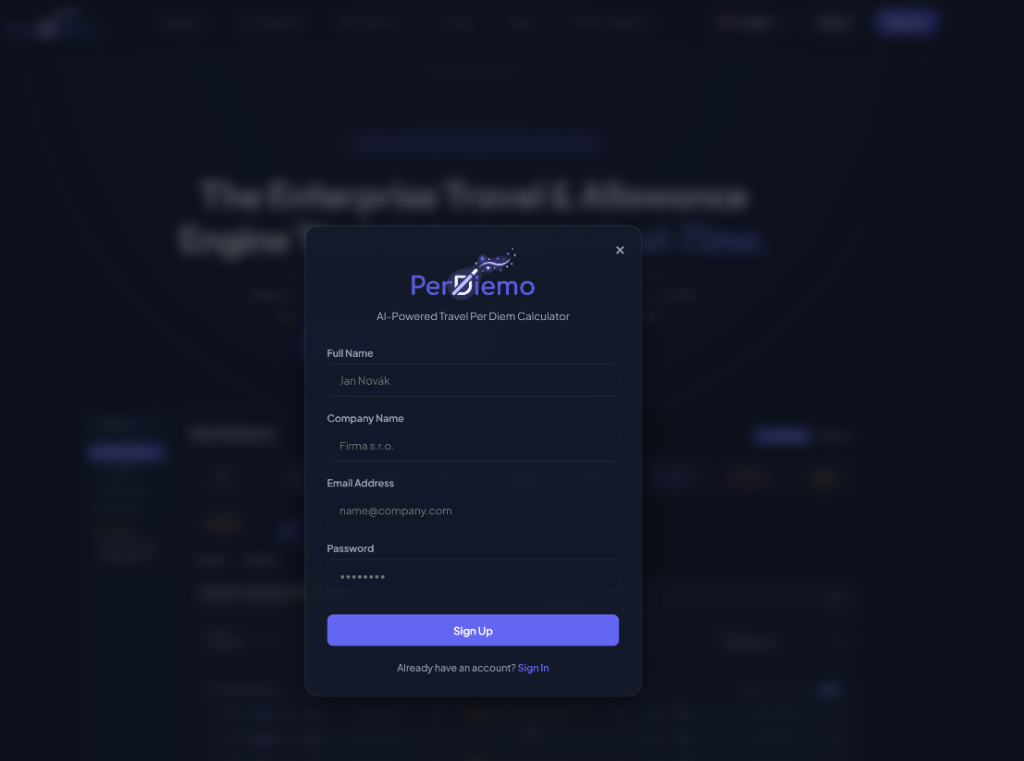
1. Completing the Registration Form:
- Full Name: Your first and last name, automatically printed on approved travel orders and PDF expense report footers.
- Company Name: Your firm or employer name (e.g. DataQuo s.r.o.).
- Email Address: Your business email address with explicit Top-Level Domain (TLD) validation.
- Password: A strong password meeting system complexity requirements.
2. Verification Email Delivery:
- A transactional verification email containing a single-use confirmation link is delivered to your inbox in your active language.
- Transactional emails are strictly single-language without mixed bilingual text.
3. Dedicated Full-Page Verification:
- Clicking the verification link opens a dedicated full-page verification result view (dedicated verification view), preventing transient modal auto-dismissal and guaranteeing 100% token confirmation.
- Clicking "Continue to Application" completes your login session.
IMPORTANT: > To guarantee maximum authentication security, email verification executes on an isolated, dedicated full-page flow without transient popup dismissals.
---
2. First Application Access & Welcome Screen
Upon initial authentication, PerDiemo presents a clean dashboard interface:
1. User Welcome Banner (`/cz/app/login`):
- Displays a personalized greeting ("Welcome back, [Name]!").
- Highlights your active subscription plan badge (e.g. Free Tier, Solo Starter, Business, Professional).
- Provides 4 quick-action cards for immediate navigation: Trips Dashboard, Log New Trip, Export Reports, and Account Settings.
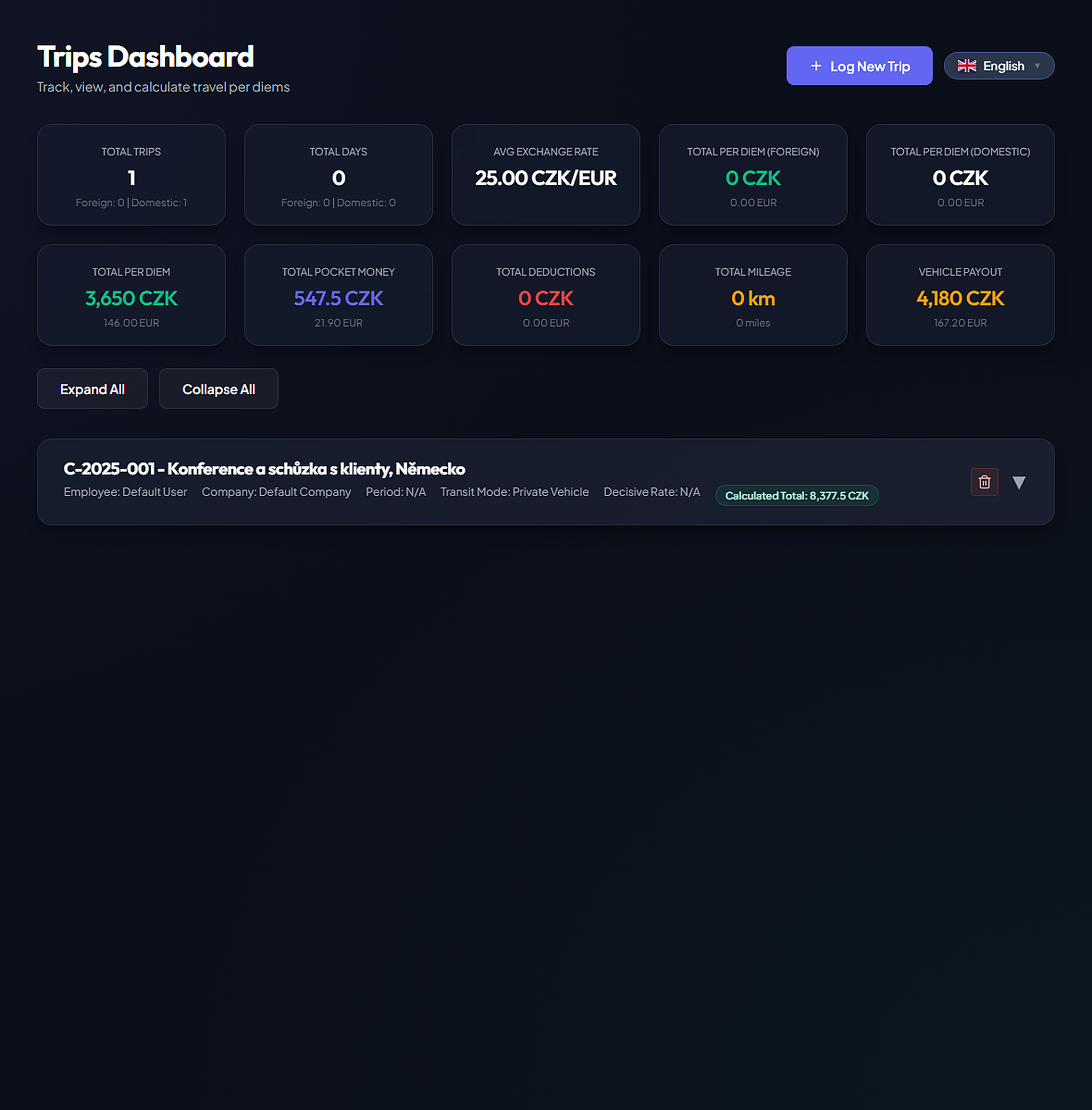
2. Trips Dashboard (`/cz/app/dashboard`):
- On initial access, your trips dashboard is clean and ready for your first business trip log.
---
3. Profile Management, Security & Subscription Tiers
Inside Profile Settings (`/cz/app/settings`), you can configure your personal details, account security, and active plan settings at any time:
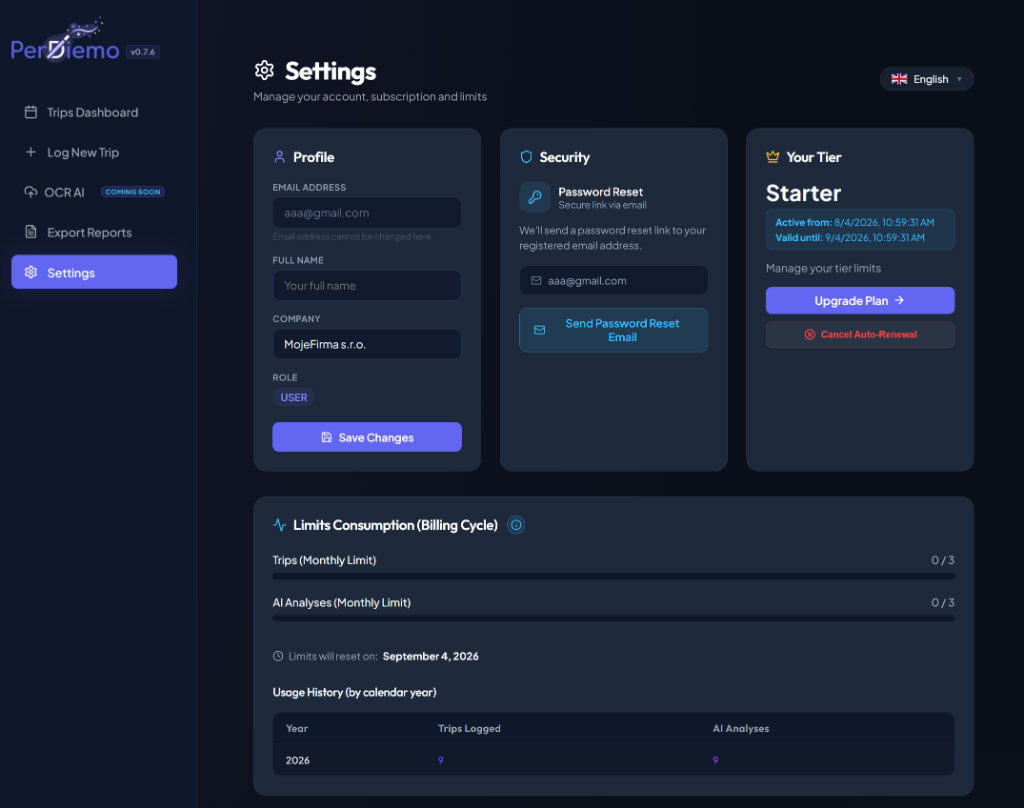
- Personal & Corporate Data: Update your name, company name, and contact details.
- Account Security: Trigger password reset email links sent to your registered email address.
- Preferred Language: Instantly switch application language between Czech and English.
- Tier Overview & Limit Consumption: Monitor active tier plans (Starter, Business, Professional), remaining trip volume, and AI parsing quota consumption for the current billing cycle.
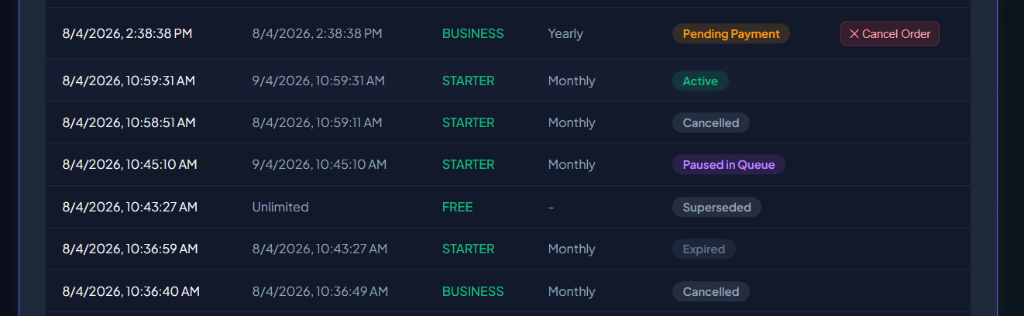
- Billing Anniversary Architecture & Order History: For detailed information on quota resets and order state tracking, refer to 5.2 Beneficial Subscription Anniversary Model.