📅 7.1 Google Workspace™ & Google Calendar™ Integration with PerDiemo
The official PerDiemo Add-on for Google Workspace™ revolutionizes business trip reporting and per diem calculations. It transforms meetings, flight itineraries, and hotel stays directly from your Google Calendar™ sidebar into a fully compliant statutory travel order with a single click, natively across desktop and mobile.
---
🌟 Key Benefits of the Integration
- Zero Manual Re-Entry: Meeting subjects, venue addresses, timestamps, and attendee notes automatically populate the itinerary.
- Silent JIT Account Provisioning: No advance registration or password setup is required. A Free tier account is automatically initialized in the background under your authenticated Google™ account when you confirm your first trip.
- Intelligent AI Synthesis: Gemini™ NLP parses unstructured event notes, sequences multi-stop waypoints logically, and detects transportation modes and complimentary meals.
- Background Magic Wand Engine: Server-side road routing and geodetic flight estimators calculate exact mileage, travel durations, and statutory border crossings under Czech and European labor legislation.
- Real-Time Statutory Payouts: Within few seconds, you receive a full breakdown of domestic and foreign per diems, statutory meal reductions, and CNB currency conversions.
- Direct Persistence & Deep Links: Confirming the trip instantly saves it to your account and generates a deep link to inspect details or export official PDF reports.
---
🚀 Getting Started & Installation
1. Installation from the Google Workspace Marketplace™
1. Navigate to the Google Workspace Marketplace™ or click the `+` (Get add-ons) icon in the right-hand Google Calendar™ sidebar. 2. Search for PerDiemo. 3. Click Install (or Domain Install if configuring across an entire Google Workspace™ enterprise domain). 4. Authorize the requested calendar event read permissions.2. First Launch in Google Calendar™
- Following installation, the PerDiemo icon appears in your Google Calendar™ sidebar.
- Clicking any calendar event activates the add-on and discovers related travel meetings within your configured time window.
---
🎁 Zero-Friction Silent Account Provisioning
If you do not have an existing PerDiemo account, you can start immediately without a traditional sign-up form:
1. The add-on automatically discovers your authenticated Google™ account email.
2. Synthesize and calculate your travel order as usual.
3. Upon clicking 💾 Confirm & Save to PerDiemo, the system silently:
- Provisions a complimentary Free tier account (10 trips/year, 5 AI analyses).
- Commits your travel order to your database.
- Dispatches a dark-themed welcome email with your trip confirmation number and a password setup link.
4. You can continue generating future trips directly inside Google Calendar™ without entering a password.
---
⚙️ Quick Settings Overview
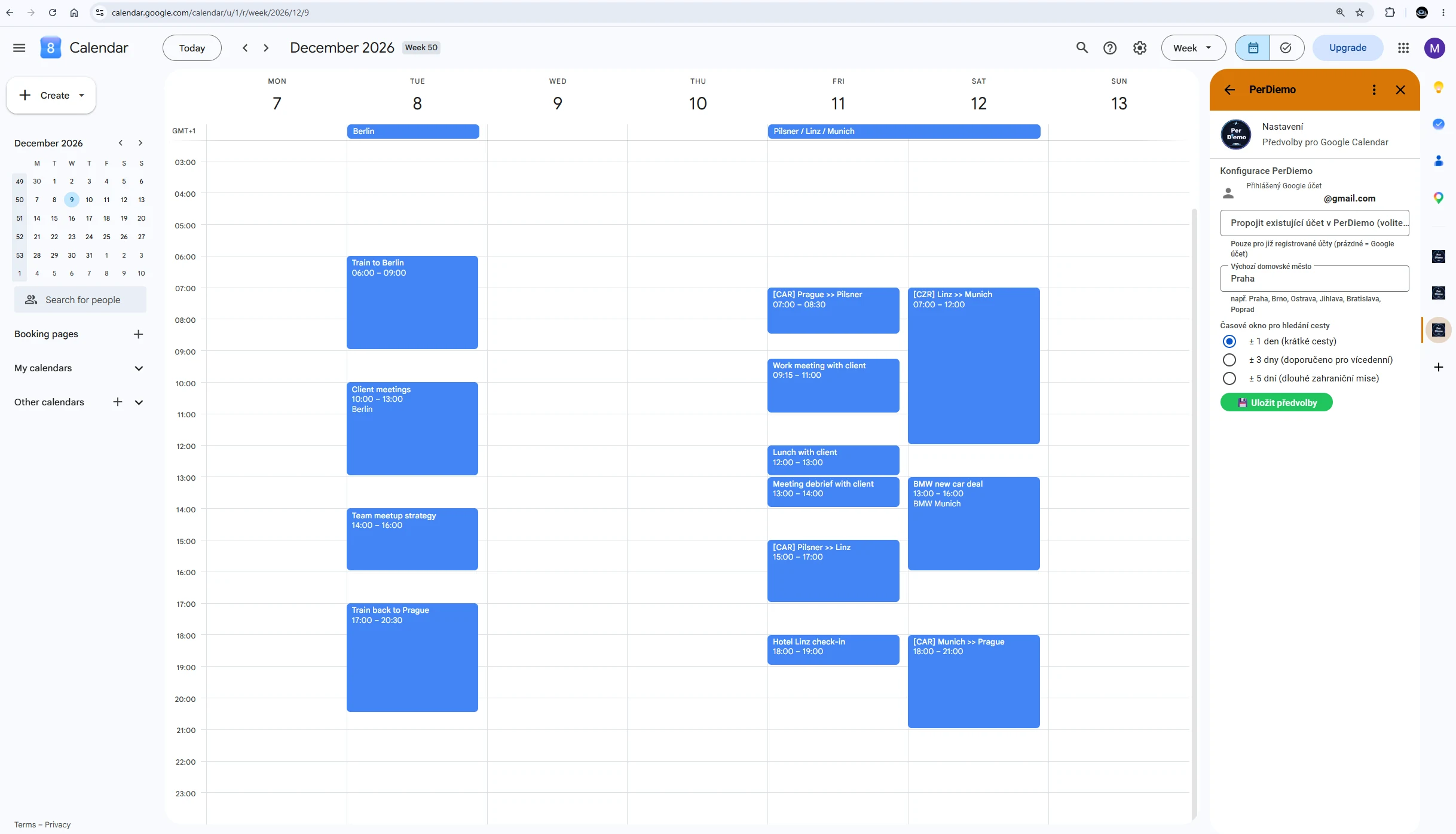
Clicking ⚙️ Settings at the bottom of the sidebar lets you tailor add-on preferences:
| Parameter | Description | Default Value |
|---|---|---|
| Link Existing Account | Optional field to pair a pre-registered corporate email if different from your Google™ account. | Google™ Account Email |
| Home Departure City | The base city from which you depart and return (e.g., Prague, Brno, Bratislava). | Praha |
| Trip Event Search Window | Search window span for related meetings (±1 day, ±3 days, ±5 days). | ±1 day |
---
📚 Related Chapters
- 7.2 Guide: Automated Trip Creation and Calculation from Google Calendar™ — Step-by-step walkthrough from event selection to Magic Wand execution.
- 7.3 Statutory Allowance Breakdown & Freemium Tiers — Complete 10-parameter breakdown and paid tier benefits.
- 7.4 Settings, Account Pairing & Anti-Collision Security — Account pairing, email validation, and data safety.
---
Google Workspace™, Google Calendar™, Google Maps™, Gmail™, and Gemini™ are trademarks of Google LLC.