🛡️ 7.4 Settings, Account Pairing & Anti-Collision Security in Google Workspace™ Add-on
The official PerDiemo Add-on for Google Workspace™ delivers flexible configuration preferences to streamline route searches and reconcile disparate user identities. This article details the add-on settings, account pairing security rules, and data integrity safeguards.
---
⚙️ Preferences & Configuration Card
Access the configuration card anytime by clicking the ⚙️ Settings button at the base of the event selection view.
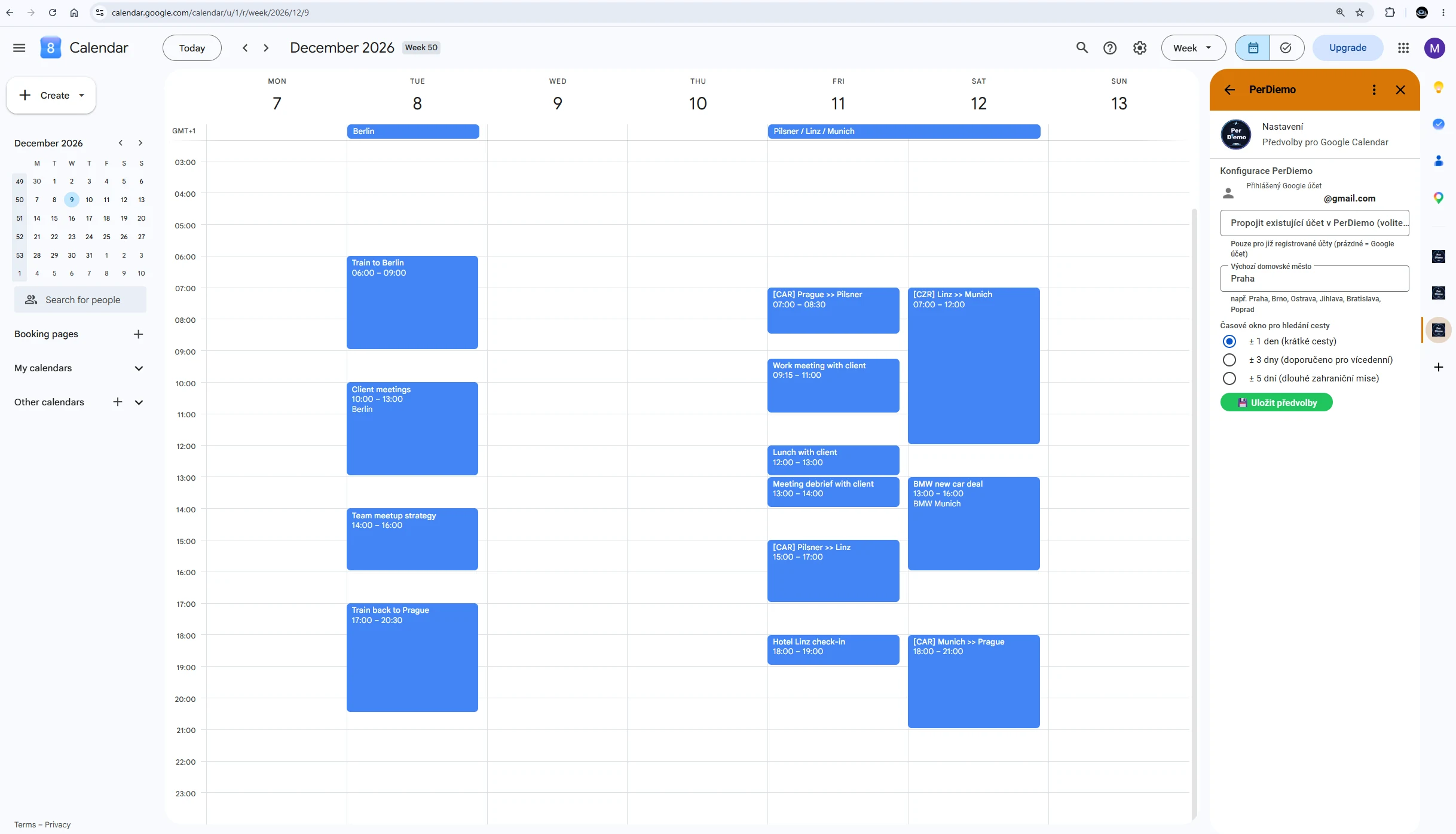
The following parameters are customizable:
1. Active Google™ Account
Displays the primary email address of the authenticated Google™ account currently running Google Calendar™. For new users, your complimentary Free account is automatically initialized under this address.2. Link Existing PerDiemo Account (Optional)
Many enterprise users maintain a personal Gmail™ account for calendars (e.g., `user@gmail.com`) while their corporate PerDiemo subscription is registered under their company domain (e.g., `john.doe@company.com`).- Entering your existing registered corporate email ensures all trips created in Google Calendar™ save directly into your company PerDiemo workspace.
- Security Invariant: The add-on only permits pairing with pre-existing, verified user accounts. Submitting an unregistered address will trigger an alert card prompting you to leave the field blank for automatic Google™ email provisioning. For more details on multi-user corporate setups and seats, see User Profile Management and Beneficial Subscription Model.
3. Default Home Base City
The default origin and destination city for business journeys (e.g., Prague, Brno, Bratislava, Ostrava).- The Magic Wand routing engine automatically establishes this city as your departure and arrival waypoint, eliminating the need to schedule dedicated calendar events for leaving home or returning.
4. Trip Search Time Window
Controls the chronological range scanned around the active calendar meeting:- ± 1 day: Optimized for single-day journeys and local client appointments (prevents clutter from unrelated meetings).
- ± 3 days: Recommended for standard multi-day regional travel and conferences.
- ± 5 days: Designed for extended international delegations and multi-country roadshows.
---
🛡️ Multi-Tenant Security & Anti-Collision Safeguards
To safeguard client accounts and eliminate quota exploitation, PerDiemo enforces strict integrity controls:
1. RFC 5322 Email Sanitization
All email inputs undergo regex syntax verification. Malformed strings (missing `@`, omitted top-level domains, typos like `emailAtemail.com`, or random text) are rejected with clear instructional feedback.2. Authenticated Google™ Scope Gate (Anti-Abuse Guard)
Silent JIT account provisioning is restricted strictly to the user's authentic Google™ Account email. Arbitrary third-party corporate addresses cannot be silently provisioned via the add-on settings without email ownership verification.3. Trip ID Collision Guard
If you modify add-on settings or switch target accounts during calculation, the engine automatically invalidates prior drafts and generates a fresh unique Trip ID (`C-YYYY-XXXX`). This guarantees that drafts generated under one account never overwrite or leak into another user's database records.---
✉️ Dark Theme Transactional Confirmations
Upon saving a travel order, PerDiemo dispatches transactional notifications:
- New Users: Receive an onboarding welcome email confirming Free tier activation (10 trips/year), assigned Trip ID, and a password setup link for the web app.
- Existing Users: Receive an immediate order confirmation email with a deep link to view the trip report.
- All email templates feature PerDiemo's canonical dark slate styling (`#0f172a` body, `#1e293b` container, `#334155` border, `#6366f1` accent, `#f8fafc` text) for high contrast and executive elegance across desktop and mobile mail clients.
---
NOTE: > Trademark Attribution: Google Calendar™, Google Workspace™, Gmail™, and Gemini™ are trademarks of Google LLC.