5.1 User Profile Management and Personal Settings
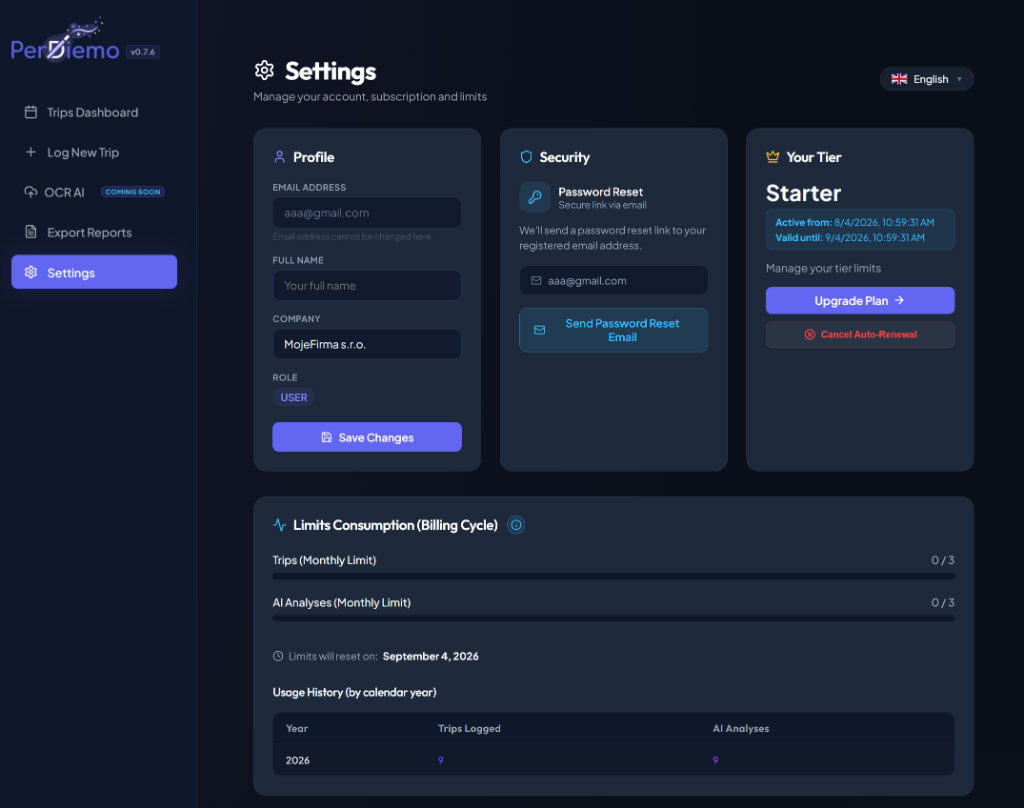
Inside Profile Settings (`/cz/app/settings`), you can manage your personal and corporate details, account security, active subscription plan, and usage quota limits.
---
Core Profile Features
1. Profile Management (Profile Card):
- Email Address: Displays your registered work email address.
- Full Name: Update your first and last name, printed on approved travel orders and PDF expense report footers.
- Company Name: Update your employer or firm name (e.g. MojeFirma s.r.o.).
- Account Role: Displays account authorization role badge (`USER` or `ADMIN`).
2. Account Security (Security Card):
- Password Reset: Trigger a single-use password reset link sent directly to your registered email inbox.
3. Subscription Management (Your Tier Card):
- Highlights active subscription tier badge (Starter, Business, Professional).
- Displays exact billing cycle validity timestamps (Active from / Valid until).
- Action buttons for Upgrade Plan and Cancel Auto-Renewal.
4. Billing Cycle Limit Consumption (Limits Card):
- Travel Trips: Live progress tracker of logged trips versus tier capacity limits.
- AI Analyses: Live tracker of AI trip parsing quotas consumed.
- Reset Timestamp: Displays the exact anniversary date when limits refresh (Subscription Anniversary Model).
- Usage History: Yearly breakdown table tracking logged trips and AI analyses by calendar year.
5. Order History & Subscription Lifecycle:
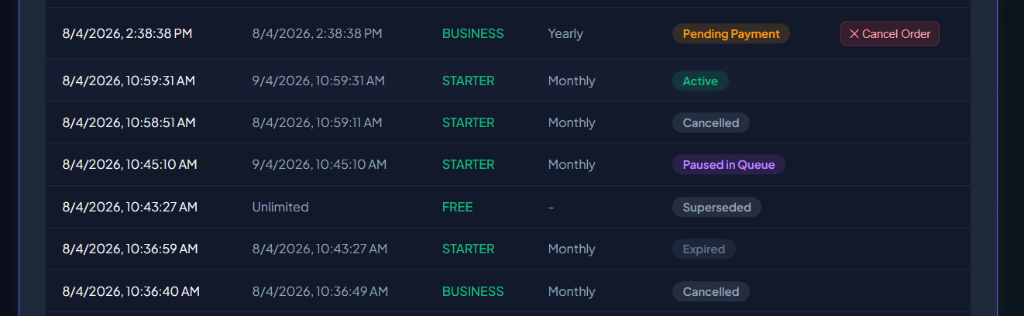
- Audit table displaying historical orders with timestamps, billing frequency, and order status badges (`Active`, `Pending Payment`, `Paused in Queue`, `Cancelled`, `Expired`, `Superseded`).